SeniorHub
Create my household
The app that brings the family together around an ageing loved one

Less mental load. More presence.

SeniorHub gathers an ageing loved one’s daily life in one place: calendar, tasks, documents, paperwork and video calls — shared with the right people, from afar or right beside them.

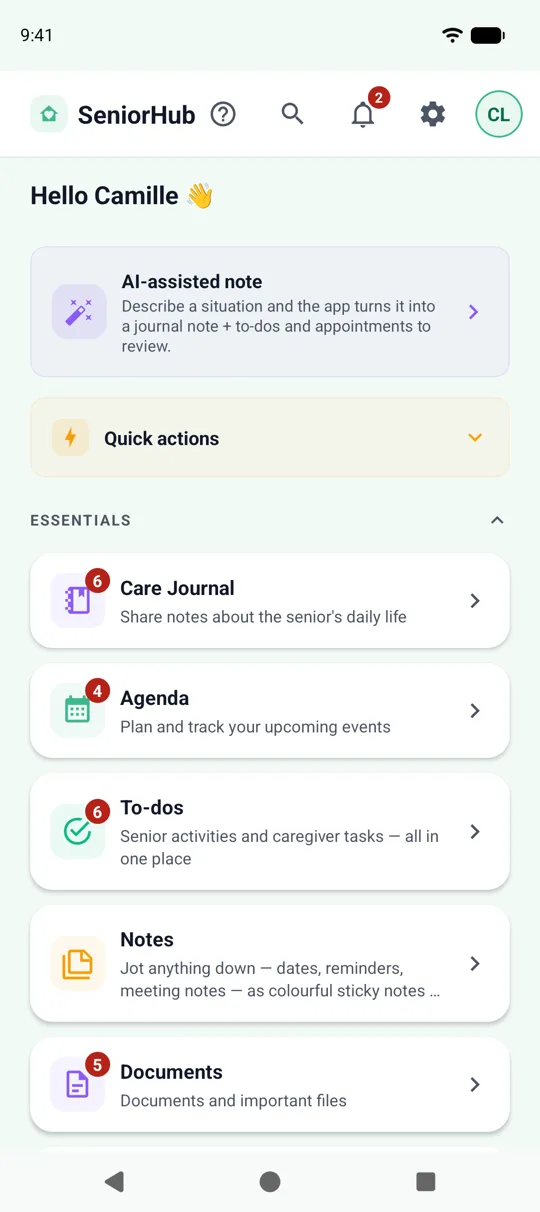
SeniorHub home screen
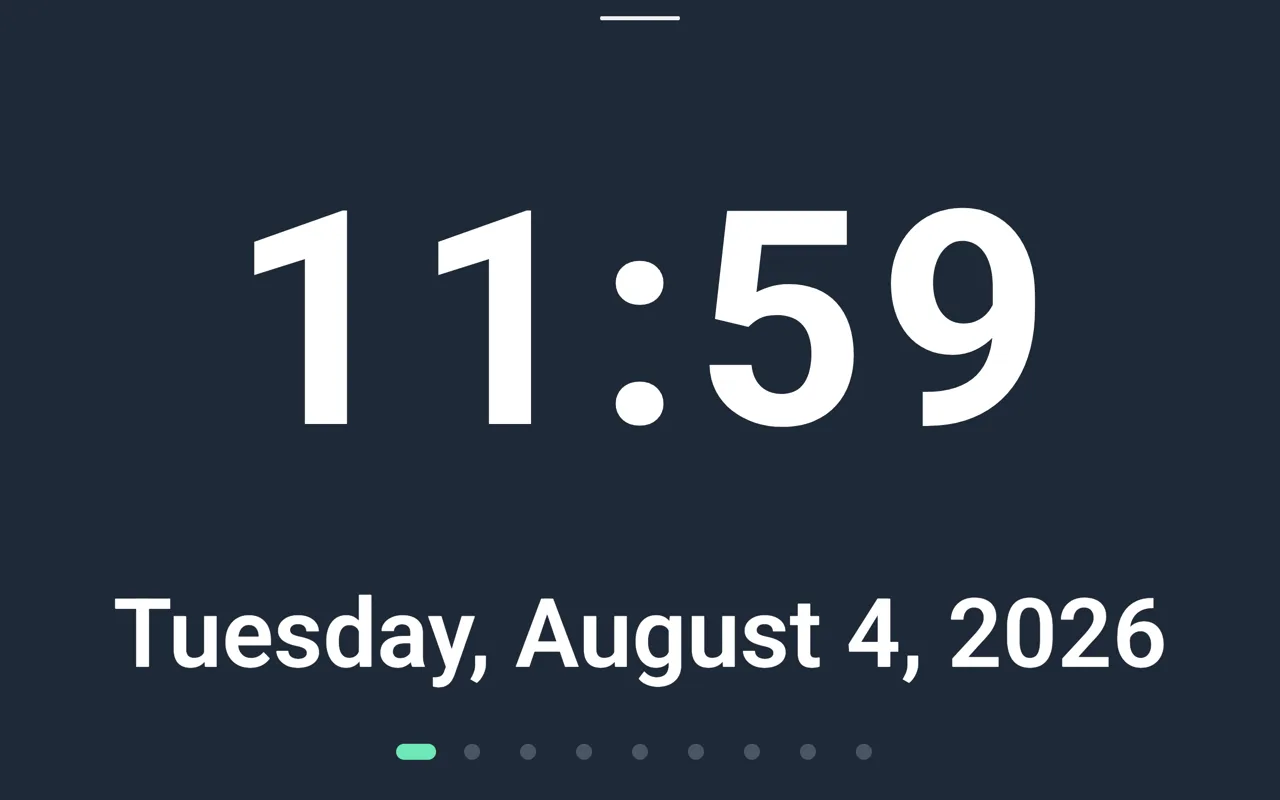
A SeniorHub display tablet showing the clock screen
Private data, per household
Built for the whole family
Hosted in Europe
No commitment

Caring for a loved one is invisible work

Appointments, medication, paperwork, support schemes, phone calls… You carry it for two, often from a distance. SeniorHub lightens that load.

“I think of everything, all the time”

Everything is centralised and shared: nothing rests on one person anymore.

“I’m far away, I feel guilty”

Video calls finally come within the senior’s reach: they arrive on their own, no number to dial, no app to open — far simpler than a regular messaging app.

“I never know if I’m making the right choices”

Relevant advice, written by AI from the information actually entered in the household.

“Finding a document turns into a nightmare”

All the senior’s documents centralised, scanned and searchable: no more digging through drawers.

“We share the load badly between us”

Roles and mental load are visible and shared across the family.

“The paperwork for support is overwhelming”

We help identify possible funding and track the applications.

Four apps, one household

SeniorHub is four complementary apps

Each one has its own role and its own screen. Only one of them is for you: the other three, you install for your loved one. See how it gets set up below.

On your own phone

SeniorHub Caregivers

The heart of SeniorHub. An ageing loved one’s whole daily life, centralised and shared with the right people. It is also where you set the others up from.

  • Shared calendar, tasks & lists
  • Care journal & daily shared journal
  • Scanned, searchable documents
  • Roles & mental load, shared out
  • AI reports by email
  • Support schemes & advice sheets
See all features

Google PlayApp Store

On your loved one’s phone or tablet

SeniorHub Simple launcher

Replaces the home screen of their phone or tablet with a stripped-back interface: large buttons, a handful of gestures, nothing confusing.

  • Call a loved one in one gesture
  • Their photos, their messages, their apps
  • Send a voice note to the family
  • Say how they are feeling today
Explore the senior home screen

Google PlayAndroid only

On your loved one’s phone

SeniorHub Assistance

Your video calls arrive on their phone without them having to look for anything. And if they decide to, you can see their screen during the call to help them.

  • Receives your video calls
  • Screen sharing during the call, if they accept
  • Guiding the screen for them, with a separate consent
  • A banner stays visible whenever a session is active

Google PlayAndroid only

On a living-room tablet (optional)

SeniorHub Tablet

A tablet they never have to handle: you set it up once, it switches to kiosk mode and is driven entirely from a distance.

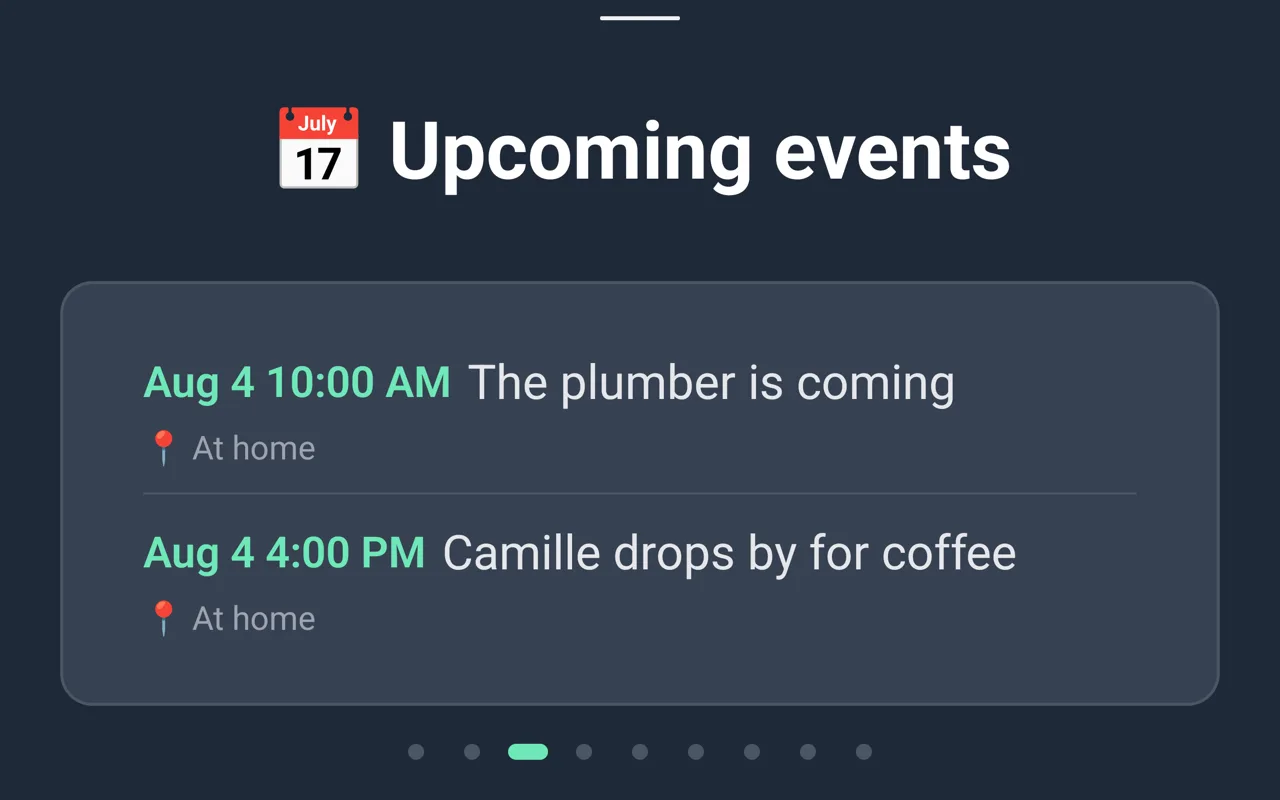
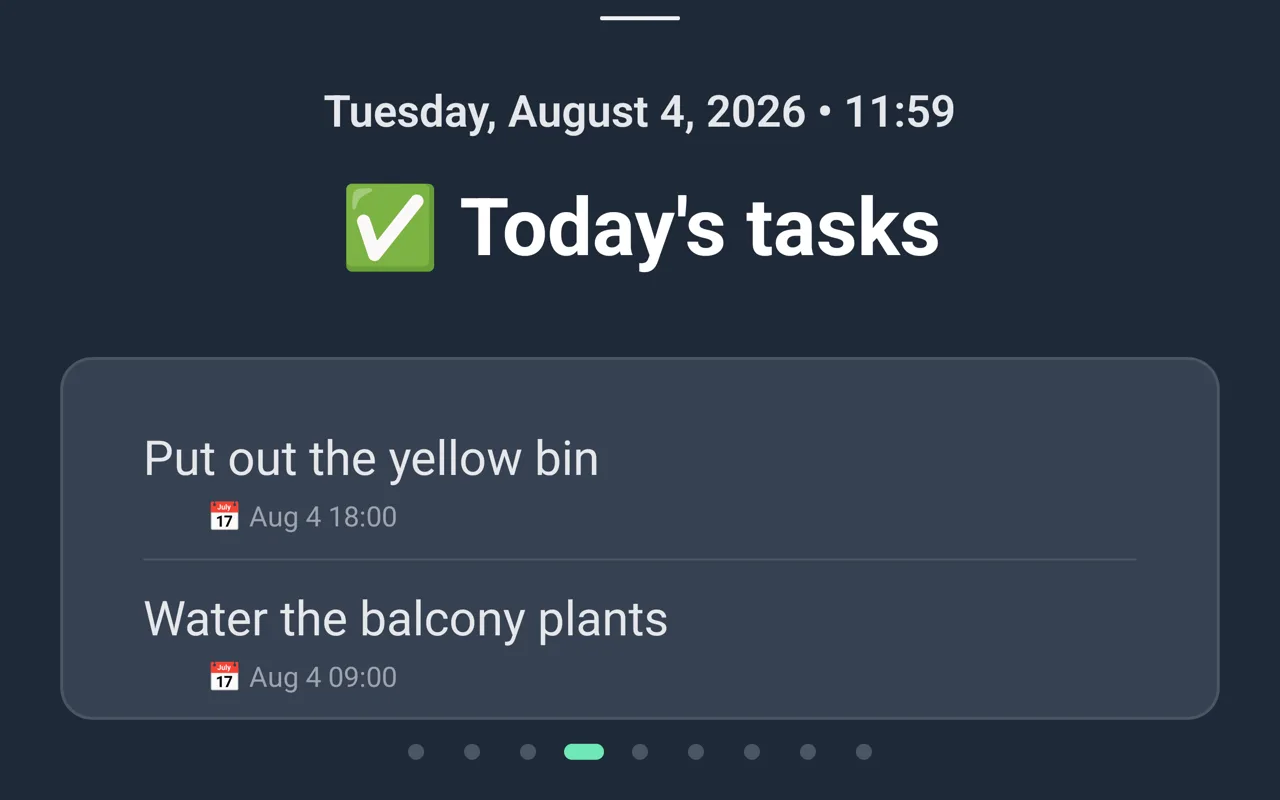
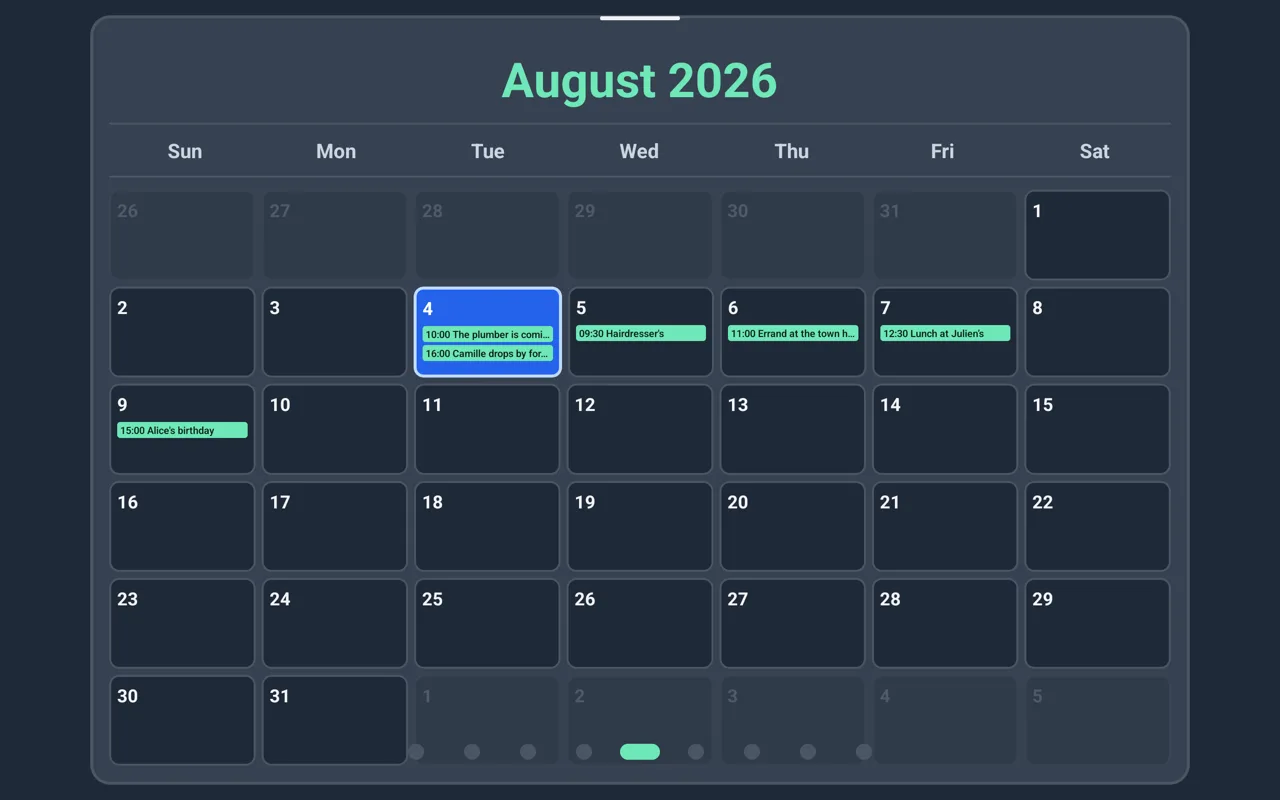
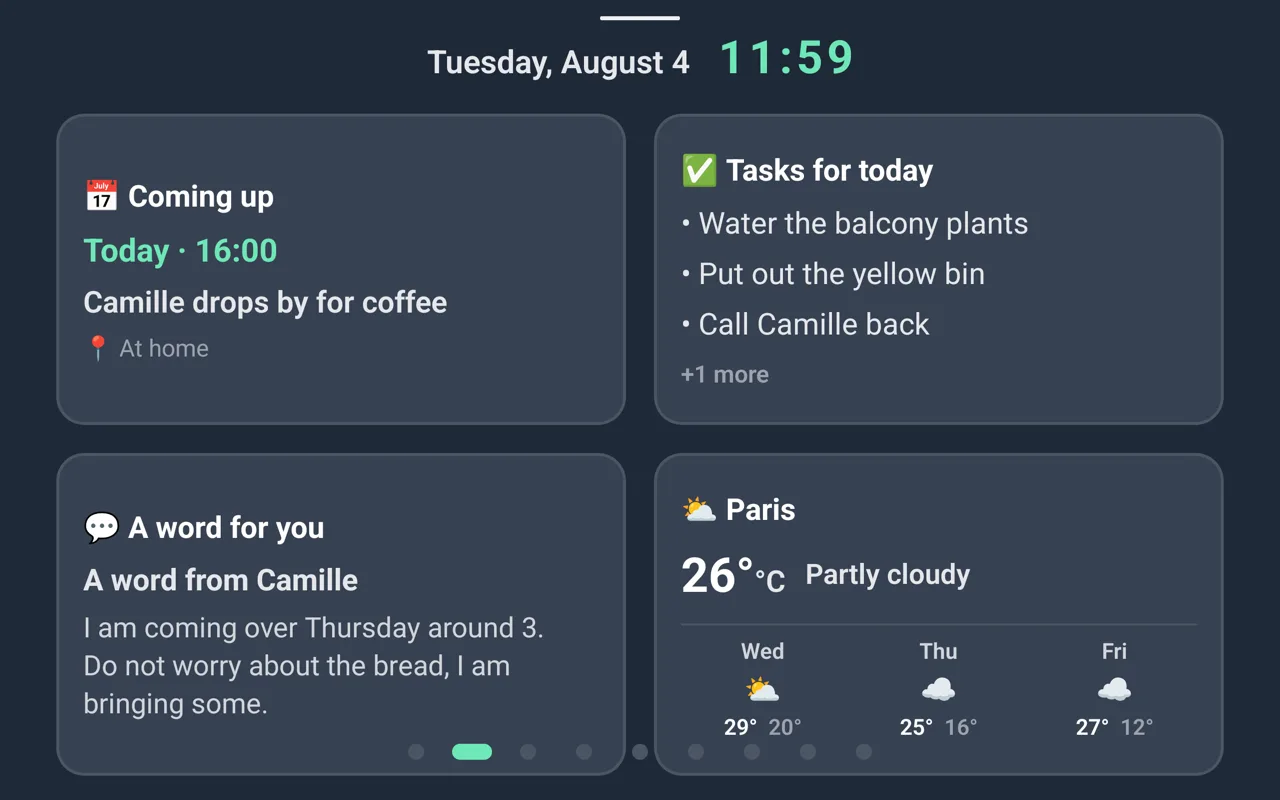
  • Date, time and today’s appointments
  • Family photos as a frame from the Family plan
  • Automatic incoming video calls
  • Large type, readable from across the room
Explore the tablet

Google PlayAndroid only

The heart of SeniorHub

All of daily life, in one place

The most-used feature: a shared household where every relative finds the essentials and contributes, without stepping on each other.

Shared calendar

Appointments, recurrences and reminders, synced with Google Calendar and CalDAV.

Centralised to-dos

Senior tasks and caregiver to-dos: assign, comment, follow up.

Shared journal

The shared daily journal. A visitor leaves a note via a QR code, with no account.

Centralised documents

Folders, scanning with text recognition and search: everything found in two clicks.

Only on SeniorHub

Far more than a video call: you assist from a distance

A SeniorHub call isn’t just a face on screen. You can genuinely help your loved one, as if you were right next to them — without them having to do anything.

  • You control their camera (front / back): “show me that letter” without them touching a thing.
  • You see their screen and fix their phone remotely.
  • The call comes through even with the app closed, and straight to the tablet (auto-answer).
  • Mixed modes (your video + their audio) to match their comfort.

Encrypted calls, started only by the household’s authorised relatives.

How it gets set up

Three companion apps, one setup — done by you

You configure everything from your own phone. Your loved one installs nothing themselves.

  1. 1

    On your own phone

    You already have it

    The app you use to coordinate everything — and the one you set the other two devices up from.

  2. 2

    On your loved one’s phone or tablet

    You install them for them

    Two companion apps: one simplifies their home screen — phone or tablet — the other makes your video calls arrive without them having to look for anything. A few minutes, once — after that they have nothing left to set up.

  3. 3

    On a living-room tablet

    Optional, you set it up once

    A companion app that switches the tablet to kiosk mode: family photos from the Family plan, today’s appointments, messages. It is driven entirely from your own phone.

The three companion apps download from Google Play: they do not exist on iPhone or iPad, so your loved one’s device has to run Android. Your own app, the caregivers one, is on both stores.

Remote assistance features only switch on with your loved one’s agreement, which they give themselves on their own phone and can withdraw at any time. From your very first sign-in, the app introduces these three apps and which device each one goes on.

Designed for the senior

A display tablet, zero handling

Place the tablet at your loved one’s home. It shows what matters in large type and rotates on its own. You drive it entirely from a distance: they have nothing to set up.

  • Kiosk mode: impossible to get lost in menus.
  • Read-only, large type, readable from across the room.
  • Rotating slides, configured remotely by the caregiver.
  • Receives video calls automatically.
Date and time
No longer carrying it alone

Mental load, measured and shared

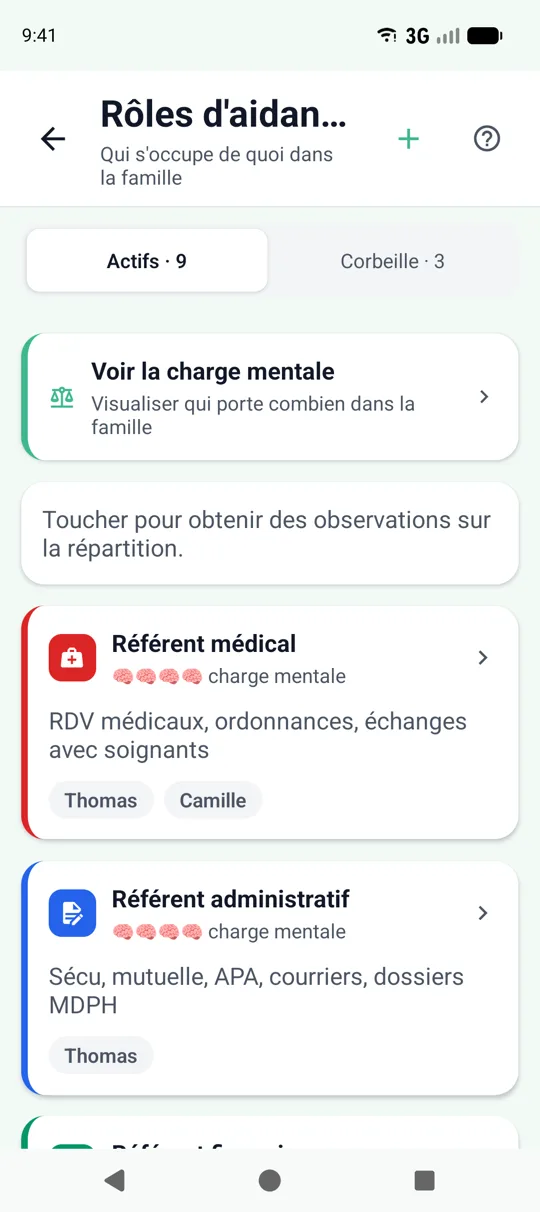
SeniorHub doesn’t just list tasks: it makes visible who does what and how much it weighs, to better share it across relatives.

  • A mental-load level per role (care, admin, shopping, outings…).
  • A balance analysis: too concentrated on one person? gaps in coverage?
  • Suggestions to rebalance and relieve the main caregiver.

Balance analysis included in the Sérénité plan.

Mental-load distribution across caregivers
Artificial intelligence

The whole week, summed up — without going through everything

SeniorHub summarises the shared journal, tasks, appointments and mood trends into a clear report, emailed to the relatives who want it.

  • Weekly, bi-weekly or monthly report by email.
  • Mood and activity trends, at a glance.
  • Concrete action suggestions for the week.

AI reports included in the Sérénité plan.

Where others stop

Find support, track the applications

Many support schemes exist but stay unknown. SeniorHub estimates your loved one’s eligibility and guides you through the steps, with clear advice sheets.

  • Eligibility estimate based on profile (age, autonomy, situation, income).
  • Application tracking: submitted → reviewed → granted, with attachments.
  • Alert when your loved one becomes eligible for a major scheme.
  • Advice sheets by topic: procedures, rights, good practices.

SeniorHub helps identify and track support: it does not replace the bodies that grant it.

An interface tailored to each role

Each member of the household gets an experience designed for them.

The senior

  • A simple screen, or the tablet
  • Calls that come through on their own
  • No complexity, no handling

The main caregiver

  • Everything centralised in one place
  • Lighter mental load
  • AI reports and support schemes

Family & relatives

  • Stay informed without chasing
  • Contribute (journal, tasks)
  • Easy video calls

Carer & shared tablet

  • Read-only access
  • Leave a note via QR code
  • No account needed
Also available

Manage from a computer

On top of the apps, a web interface lets you create your household and handle the essentials from a browser. It’s an experimental version, simpler than the mobile app — handy for a first setup from your desk.

Discover the web interface

Pricing that fits your needs

Less than a coffee per week to coordinate your family's daily life

MonthlyYearly-17%

Présence

Free
  • 1 senior, 2 relatives
  • Unlimited video calls and remote assistance
  • 1 tablet with its photo gallery
  • 3 emergency contacts, address book (10)
  • Care journal (10 entries), calendar and missions (5)
  • 7-day history · 100 MB storage
Start on web
Recommended

Tribu

4,99/month
  • 4 seniors, 8 caregivers, 4 tablets
  • Unlimited notebook, calendar & tasks
  • Emergency contacts
  • Important documents
  • All tablet screens
  • 30-day history
Continue in the mobile app

Sérénité

9,99/month
  • Unlimited seniors & caregivers
  • Everything in Tribu plan
  • Full history
  • In-home helper coordination
  • All tablet screens
  • Weekly email reports
  • Detailed PDF reports
  • Priority support
Continue in the mobile app

Frequently asked questions

Is this a medical app?

No. SeniorHub is a family-organisation and connection app. It is not a medical device and does not store health data as such.

Who can see my loved one’s information?

Only the members you invite into the household. Data is partitioned per household, with rights based on each person’s role.

Do I need special hardware for the tablet?

No, a standard Android tablet is enough. You install the SeniorHub Tablet companion app on it — a few minutes, once — and it becomes a display screen in kiosk mode, driven remotely from your own phone.

Does my loved one need to know how to use a smartphone?

No. You are the one who installs the companion apps on their device — a phone or a tablet, whichever they have — in a few minutes: they simplify their home screen and make your video calls arrive without them having to look for anything. After that, they have nothing left to set up.

I already have a SeniorHub display tablet — do I also need the Launcher?

No, they answer two different needs. The display tablet is a screen left in a room that your loved one never touches: it shows the time, the calendar and family photos, and you drive it remotely. The Launcher turns the home screen of a device they actually hold and use — phone or tablet — into big buttons they press themselves: call, see photos, send a word. If they already use their tablet, install the Launcher on it; if you want an ambient screen in a room, choose the display tablet.

Am I tied in for the long term?

No, no commitment. You can start for free and change plan at any time.

Bring your family together around your loved one

Create your household in minutes, for free.